When Printers Go Quiet: Understanding Silent Device Failures Before They Paralyze Your Office

There is a particular kind of frustration reserved for the office printer that simply stops working on a Tuesday morning with no prior warning. No flashing lights. No error codes scrolling across the control panel. No alert email from the network management system. Just silence—followed by a complete cessation of function at the worst possible moment.
This scenario is far more common than most IT managers and office administrators recognize. And it is not a matter of bad luck. It is the predictable outcome of a series of overlooked technical and operational realities that leave US businesses exposed to sudden, costly downtime. Understanding those realities is the first step toward preventing them.
The Illusion of a Healthy Device
Modern office printers are designed to communicate. They report paper jams, low toner levels, open access doors, and connectivity interruptions. This capability has led many businesses to adopt a passive monitoring posture: if the printer hasn't complained, the printer must be fine.
That assumption is dangerously flawed.
Printers develop internal faults that their onboard diagnostic systems are simply not programmed to detect or report. A fuser assembly gradually losing its ability to bond toner to paper may not trigger any alert until adhesion fails completely. A feed roller wearing thin across thousands of cycles may not generate a warning until it can no longer grip paper at all. The device continues to report a healthy status right up until the moment it cannot.
This is not a design flaw in any single brand or model. It is a structural limitation of how printer diagnostics are built. Onboard systems monitor the conditions they were specifically programmed to monitor. Everything outside those parameters operates in a blind spot.
Firmware Gaps and the Aging Device Problem
The problem compounds significantly when the device in question is more than a few years old. Printer firmware—the embedded software that governs how a device operates and communicates—requires periodic updates to maintain compatibility with evolving network infrastructure and operating systems. Many US offices run printers on firmware versions that are years out of date, either because updates were never applied or because the manufacturer has ceased issuing them for older models.
Outdated firmware creates communication gaps between the printer and the network systems designed to monitor it. A fleet management platform built to receive status data in a current protocol may receive incomplete or corrupted data from an older device running legacy firmware. From the platform's perspective, the printer appears healthy. From the printer's perspective, the platform is not receiving its distress signals. Both sides of the conversation are failing, and no one in the office knows it.
This disconnect is particularly acute in environments where older workhorses are kept in service alongside newer equipment. The newer devices communicate fluently with modern monitoring tools. The older ones go quiet, and that quiet is misread as contentment.
Diagnostic Logging: The Missing Record
Another contributor to silent failures is the absence of meaningful diagnostic logging at the device level. Enterprise-grade printers often maintain internal logs of operational anomalies—voltage fluctuations, temperature irregularities within the fuser, unusual motor resistance. These logs exist. They simply go unread.
In most small and mid-sized US businesses, no one has been assigned to review printer diagnostic logs on a regular basis. The logs accumulate, recording a growing list of minor anomalies that individually seem insignificant but collectively paint a picture of a device approaching failure. By the time the printer stops working, that internal record contains weeks or months of warning signs that were never acted upon—because no one ever looked.
Establishing a routine log review process, even monthly, can surface these patterns before they escalate. This does not require dedicated IT staff. It requires a protocol and the knowledge of where to find the data.
Network Communication Failures as a Silent Culprit
Beyond the printer itself, the network environment plays a significant role in whether failures are reported at all. Simple network protocol mismatches, IP address conflicts, or firewall rule changes can sever the communication channel between a printer and its monitoring system without anyone noticing. The printer continues to operate—printing, scanning, copying—while simultaneously failing to transmit status data to the platform meant to track it.
In this scenario, the monitoring dashboard shows the device as unreachable or simply absent. In a busy office, that status is often dismissed as a temporary glitch rather than investigated as a structural communication failure. Weeks pass. The printer continues to degrade. The monitoring gap persists. And then the device fails in full.
Regular verification that each networked printer is actively transmitting status data—not merely reachable on the network—is a simple but frequently neglected step that closes this particular gap.
Proactive Monitoring Strategies That Actually Work
The antidote to silent printer failure is not more sophisticated equipment. It is more deliberate process. Several strategies, applied consistently, dramatically reduce the risk of being blindsided by an unannounced device failure.
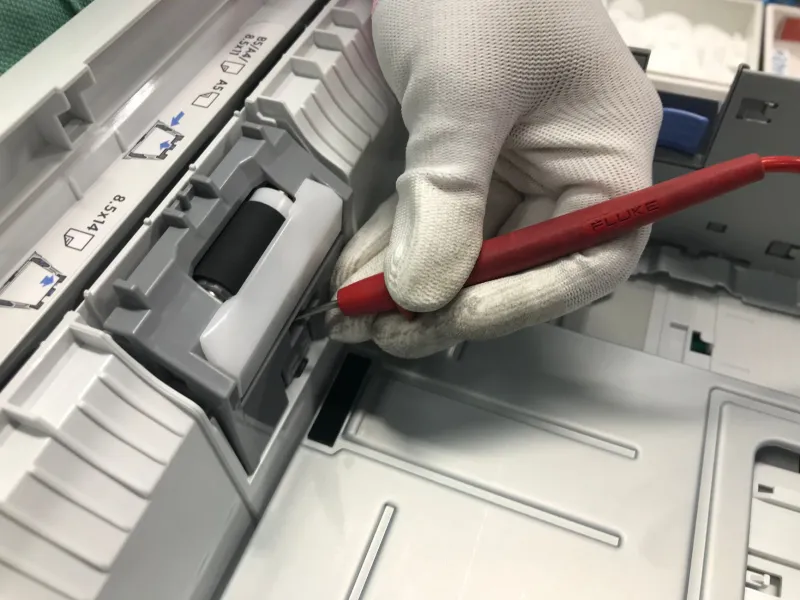
Scheduled physical inspections remain one of the most reliable tools available. A technician who physically examines a printer—checking roller condition, fuser temperature consistency, paper path cleanliness, and connector integrity—will identify deterioration that no software alert would have flagged. These inspections should occur on a defined schedule, not on an as-needed basis.
Baseline performance benchmarking establishes what normal looks like for each device in your fleet. Print speed, first-page-out time, error rate per thousand pages, and toner consumption per page all have normal ranges for a given machine. When those metrics drift outside their baseline, something has changed—and that change warrants investigation before it becomes a failure.
Proactive firmware management ensures that devices capable of receiving updates are kept current, and that devices no longer supported by their manufacturers are flagged for replacement planning rather than indefinite continued use.
Third-party monitoring integration through a qualified service provider can bridge the communication gap that exists between older devices and modern network management platforms. Experienced technicians familiar with legacy equipment know how to extract status data from devices that do not communicate cleanly with contemporary tools.
The Cost of Waiting for the Error Message
For US businesses that have come to rely on printer error alerts as their primary early warning system, the silent failure problem represents a meaningful operational risk. Printer downtime does not merely inconvenience employees. It delays client deliverables, disrupts billing cycles, stalls compliance documentation, and, in some sectors, creates regulatory exposure.
The devices most likely to fail silently are also frequently the ones handling the heaviest workloads—the high-volume machines in accounting departments, legal offices, healthcare practices, and logistics operations where printed documentation remains a daily necessity.
A printer that announces its distress gives you time to respond. A printer that goes quiet gives you nothing but an unexpected crisis.
Closing the Blind Spot
At Printer Service Jalandhar, we work with US businesses navigating exactly this challenge. The combination of aging device fleets, firmware gaps, and passive monitoring postures creates conditions where silent failures are not a possibility—they are a near-certainty over time.
The solution is not panic. It is process. Structured inspection schedules, active log review, network communication verification, and baseline performance tracking form a practical framework that surfaces problems before they become outages. These measures are not expensive. The downtime they prevent, however, can be.
If your office has been relying on the absence of error messages as evidence of printer health, it may be time to reconsider what silence actually means.